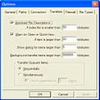
Feature-rich FTP client offering secure transfers, drag-and-drop support, and advanced automation tools for professionals
Feature-rich FTP client offering secure transfers, drag-and-drop support, and advanced automation tools for professionals
Vote (16 votes)
Program license Free
Developer Core FTP
Version 2.2
Works under Windows
Vote
(16 votes)
Developer
Core FTP
Works under
Windows
Program license
Free
Version
2.2
Pros
- Supports a wide range of FTP protocols, including SFTP, SSL, and TLS
- Comprehensive file management and advanced transfer features
- Free for personal and business use
- Includes bandwidth throttling, transfer resume, and FXP
- Robust security suitable for professional environments
Cons
- Complex interface may be daunting for beginners
- Interface design is dated compared to modern applications
- Lacks integrated help or tutorial resources
Feature-rich FTP client with strong security and advanced transfer options
Overview
Core FTP LE is a free Windows FTP client designed for both casual users and IT professionals requiring secure and flexible file transfer capabilities. The application supports a comprehensive set of protocols, including standard FTP, SFTP (SSH), SSL, and TLS, making it a versatile tool for connecting to a wide range of servers. Whether managing website files, synchronizing directories, or transferring sensitive data, Core FTP LE provides the tools and reliability necessary for efficient file management.
User Interface and Usability
Core FTP LE features a straightforward, dual-pane interface, commonly favored among FTP clients for drag-and-drop file transfers. This layout makes it easy to navigate between local and remote directories. While the interface maintains a utilitarian aesthetic, it prioritizes function over style, providing clear access to bookmarks, queue status, and connection logs. For users seeking simplicity, there may be a slight learning curve due to the range of features exposed in the interface, but experienced users will appreciate the organized layout and tool accessibility.
Security and Protocol Support
One of Core FTP LE’s standout qualities is its attention to security. The client offers robust support for secure connections, including SFTP via SSH and advanced SSL/TLS encryption protocols. This ensures that data can be transferred safely, which is especially vital for administrators and users handling confidential information. Core FTP LE also supports International Domain Names (IDN), expanding compatibility with servers that utilize non-standard or multilingual domain names.
Transfer Features
Core FTP LE contains a variety of advanced transfer options that appeal to power users. Features include direct site-to-site transfers (FXP), transfer resuming for interrupted uploads/downloads, and customizable auto-retry settings to automatically recover failed transfers. The software also provides bandwidth throttling controls to manage network usage effectively—a useful function for organizations or individuals balancing multiple operations.
Additional Utilities
Several auxiliary features enrich the user experience. Remote file searching facilitates locating specific files on large servers. Integrated tools for editing .htaccess and .htpasswd files support website administration directly from the client. For automation needs, a command line interface is available to script and schedule transfers without manual intervention.
Performance and Reliability
Core FTP LE demonstrates stable performance even under demanding operational loads. The application handles large file transfers, supports wildcards for batch processing, and is compatible with various Windows versions, ensuring broad usability. Recent updates have addressed several bugs, improving stability and fixing issues with wildcards and folder templates.
Summary
Core FTP LE is a comprehensive solution for secure and advanced FTP transfers on Windows. Its powerful set of features caters mainly to experienced users or IT professionals, though those new to FTP may require some time to explore its full potential. As a free tool, it stands out for its depth and flexibility in managing file transfers securely and efficiently.
Pros
- Supports a wide range of FTP protocols, including SFTP, SSL, and TLS
- Comprehensive file management and advanced transfer features
- Free for personal and business use
- Includes bandwidth throttling, transfer resume, and FXP
- Robust security suitable for professional environments
Cons
- Complex interface may be daunting for beginners
- Interface design is dated compared to modern applications
- Lacks integrated help or tutorial resources